NSX

591812795EM002_The_2015_Mis

About a year and a half ago, I really became interested in VMware NSX. What made NSX so interesting to me was that it touched two aspects of technology that I really have a passion for…virtualization and networking. I remember when I was first introduced to NSX. I thought to myself….”its a neat concept….but I can’t see having my network in software”. But the more I began to explore use cases for NSX, and realizing that 95% of the data center that I worked in was virtualized, it really made more sense. This lead me to dive even deeper into learning NSX. At the time, I didn’t have a homelab so I made good use of the VMware HOLs to play with NSX to further my learning. Using the VMware HOLs, I was able to get some good time at the “steering wheel” working with NSX and it helped me in my studies for my VCP6-NV. I was able to achieve that goal last year at VMworld US. Working more with NSX has made me want to share my thoughts, “how-tos”, and opinions about it and ultimately give back to the vCommunity. That “giving back” has in turn helped me to deepen my knowledge on NSX and other VMware products. That is why I am pleasantly surprised and honored to be awarded with vExpert NSX status for 2017.  Read Full Article
VMwareNSX

A NSX edge can be used to relay name resolution requests from clients to external DNS servers. As the NSX relay these requests, it caches the response from the DNS server. In this blog post, I will show you how to configure the DNS servers on the NSX edge.

First, navigate the Networking & Security.

dns01 Read Full Article

VMwareNSX

NSX Edge provides network address translation (NAT) service to assign a public address to a computer within a private network. The NSX edge supports using source NAT (SNAT) and destination NAT (DNAT). SNAT is used for translating a internal IP address to a public external address. Since external IP addresses have no knowledge of internal IP addresses, NAT is needed for communication. DNAT allows access from outside/external networks to internal private networks. NAT is important for providing access to services within your private network and for providing the ability to access services that are external to your network. For ex: In order for a machine on your private network to be able to access the internet, NAT is need. In this blog post, I’ll show you how to configure source NAT (SNAT) on a NSX edge device to do just that.

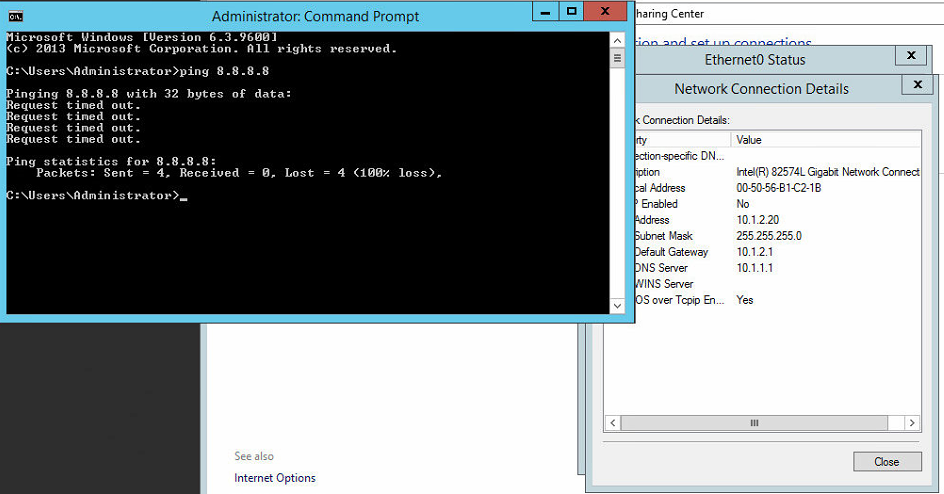
In our example, we will have a VM (VM01) with a IP address of 10.1.2.20 that is attached to a NSX logical switch (Tenant A). In order for this VM to access the internet, we will translate it’s IP to an IP that is internet accessible. Right now, as you can see, we cannot access the outside world. We test this by pinging Google’s public DNS (8.8.8.8).

nat

Let’s get started with changing this and making the VM accessible to the internet. Read Full Article

VMworld-2017

Each year that I’ve gone to VMworld, I always have in mind a certain product path that I want to focus on. With all the great content, there’s just no way that you can attend all of the sessions that you want (thank goodness for on-demand recordings). In 2015, I focused on vSphere and vCenter, as I was taking my VCP6-DCV test during the conference. Last year, all of my sessions were on NSX, since I was taking the VCP6-NV exam during the conference. So following suit, this year, I will be taking the VCP6-CMA exam during the conference. Can you guess what my sessions will be focused on? AUTOMATION…with a dash of NSX! 🙂

So here’s a list of my top 10 sessions that I plan to attend at this year’s conference.

Read Full Article

VMwareNSX

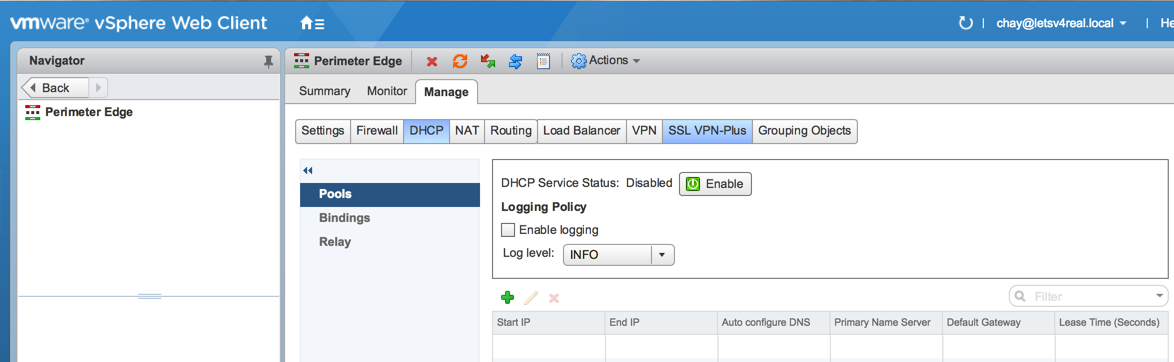
One of the services that the NSX Edge (ESG) provides is IP address pooling and one-to-one static IP address allocation and external DNS services. NSX Edge listens to the internal interface for DHCP requests and uses the internal interface IP as the default gateway for clients. In this post, I’ll show you how to configure DCHP on the NSX Edge to provide IP addresses to clients on a logical switch.

First, navigate to Networking & Security > NSX Edges and select you ESG. Then navigate to Manage > DHCP > Pools. Under Pools, click the green “+”.

dhcp01 Read Full Article

Over the past few months, I’ve been searching for a good home lab server to replace the ones I had been using that were decommissioned and given to me by my previous employer…3 HP DL385 G6 rack servers with 64GB each. Well anyone that knows servers, know that these are not ideal from a home lab. Not only are they big, bulky and heavy, but they suck electricity like a newborn baby sucks a warm bottle (I can attest to this, being a new dad to a healthy,hungry boy) and on top of that, they can make a room HOT…really fast! I knew this was not a long term solution for me and there was only so much that I could do with VMware’s online HOL. I needed something that I could not only have to test out all the latest products from VMware without a 2hr or so limit, but also something that I could continue to use to prepare for advanced certifications and create content to share on the blog.

What I Wanted In A Server

First of all…it needed to be small. I have a office at home…not a dedicated server room. I wanted something no bigger than a desktop tower PC. To me, the smaller, the better. I also wanted something that would provide me with enough resources to run two of VMware’s most resource intensive products, NSX and vRealize Automation. Those two products alone would need about 50GB of RAM to install all the components to get up and running. I first began looking into the SuperMicro SYS-E200-8D and SYS-E300-8D servers. I was drawn first to their size and then to the fact that they could max out at a whooping 128GB of RAM. However, I didn’t like the idea of only have 2 options for storage, one 2.5 HDD and one M.2 slot. Then I stumbled across Paul Braren from TinkerTry on Twitter and that’s when I discovered what would soon be my next home lab server.

What I Got

I ended up purchasing a SuperMicro SYS-5028D-TN4T server bundle from WiredZone and added two additional 32GB DIMMs to have a total of 128GB of RAM.


img_3766 Read Full Article

VMwareNSX

In this blog post we will be deploying the NSX manager appliance. This is the first step in beginning to deploy NSX in your VMware environment. First things first, after downloading the NSX OVA file, right click on the cluster you want to deploy the appliance in and click Deploy OVF Template. Browse to and select the NSX OVA file and click Next.

man01

Read Full Article

VMwareNSX

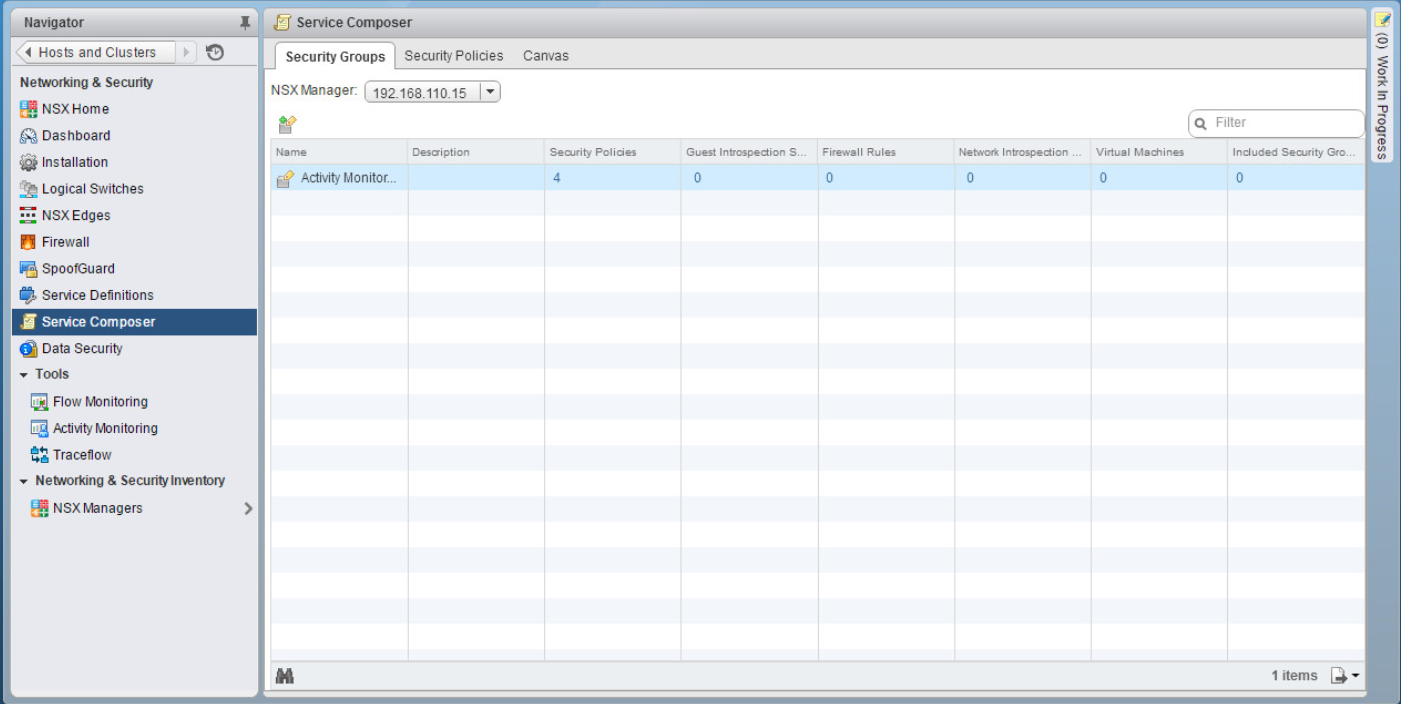
The NSX service composer is one of my favorite features of NSX. I’ve never really considered myself to be lazy when it comes to doing something the right way…but I’ve never been one to overwork myself to do that. Dad always said “Work smarter, not harder”. The service composer is a combination of both. It’s a way to create multiple rules in your virtual infrastructure for items that are alike or that need to have the same type of services allowed or denied. For you Cisco guys, this is a familiar concept. Think objects and object groups on a ASA. For example, say I have a group of 6 web servers that I want to block ICMP traffic. Well that would normally mean that I would have to create 6 individual rules, one for each web server, to block this. With the service composer, however, I can create one rule. With the use of security groups and security policies, service composer makes life easy…and that doesn’t mean that you’re lazy 🙂

In this blog post, I will show you how to use the service composer to create a security policy and apply it to multiple servers.

First navigate to Networking & Security > Service Composer

sc2 Read Full Article

VMwareNSX

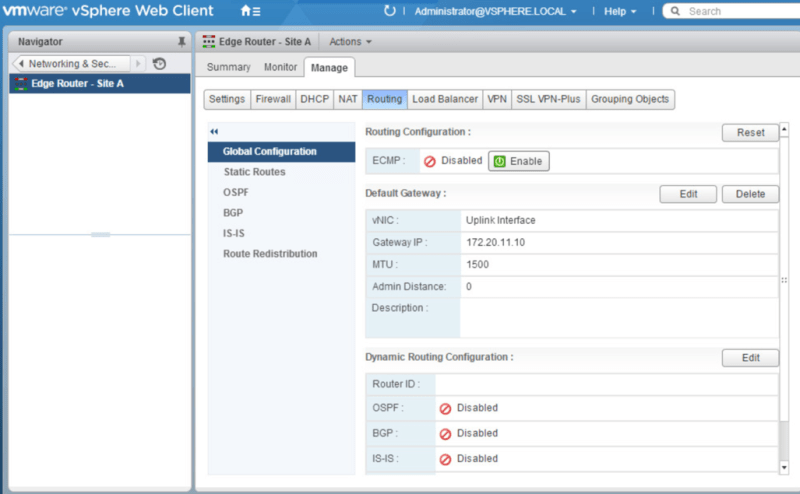
Picking up from where we left off, in our last post, we deployed the NSX Edge Appliance and created interfaces to connect to each of our logical switches to allow for communication between the VMs on each logical switch. In this post we will configure OSPF as our dynamic routing protocol between the edge appliance and the logical router.

Navigate to Networking & Security>NSX Edges. Double click the Edge Router. Under Manage>Routing>Global Configuration click Edit by Dynamic Routing Configuration.

dyr1 Read Full Article

VMwareNSX

In this post we will be deploying an additional Edge Services Gateway (ESG) so that we can take advantage of Equal-Cost Multipath (ECMP) from the distributed logical router to the ESG. The advantage of using ECMP is that you can split the traffic from VMs evenly between the ESGs and have multiple bidirectional links. Let’s get started configuring!

Navigate to Networking & Security > NSX Edges and click the green + to begin deploying a new ESG.

ecmp1

Read Full Article