
In our last post, we deployed our logical switches and tested L2 connectivity between VMs on the same logical switch. As mentioned in that post, in order to allow communication between logical switches, we will need to deploy and configure a distributed logical router. That’s what we will be going over in this post.
First navigate to Networking & Security > NSX Edges and make sure the correct NSX manager is selected. Click the green +.

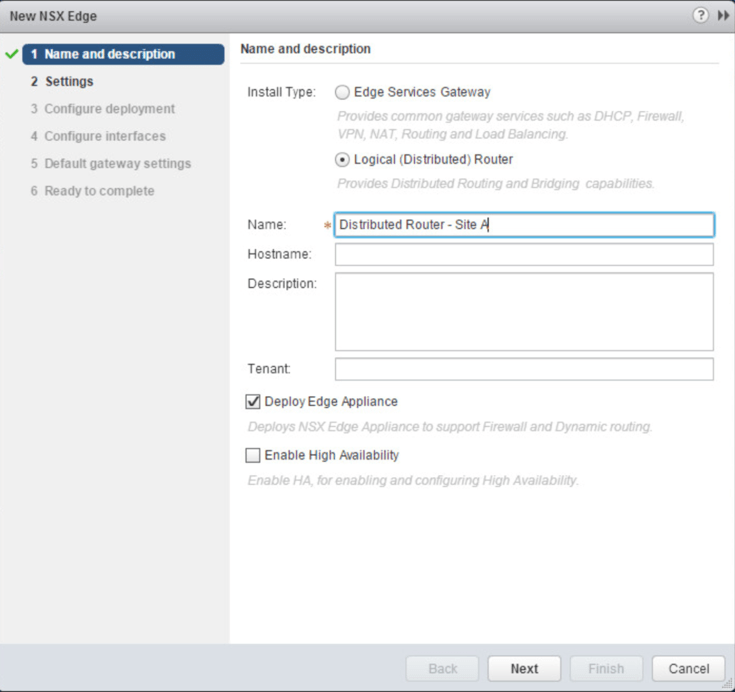
Select Logical (Distributed) Router and give it a name. Click Next.
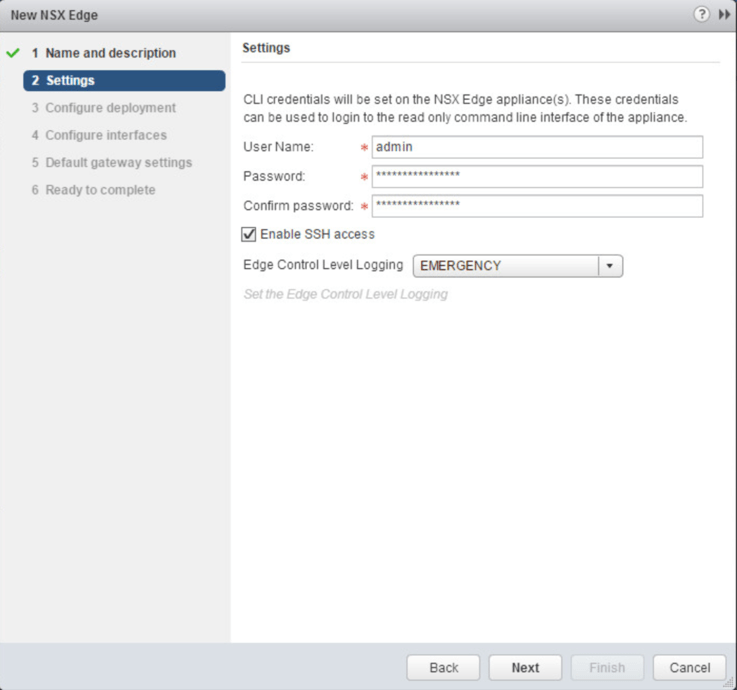
Assign a password to the appliance and enable SSH. Click Next.
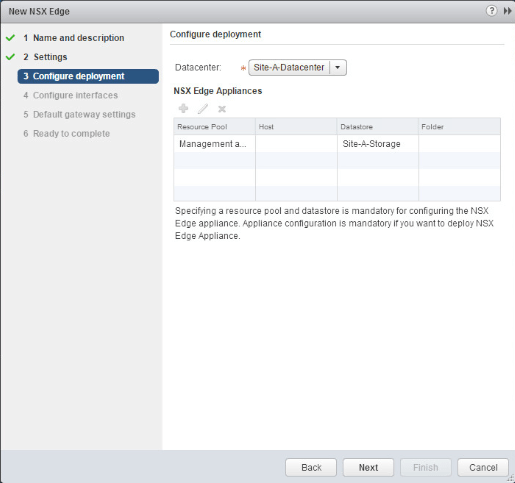
Click the green +

Select what cluster and datastore you want to deploy the appliance to

Click Next
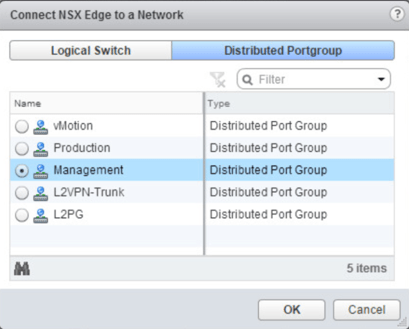
Click Select next to Connected To:
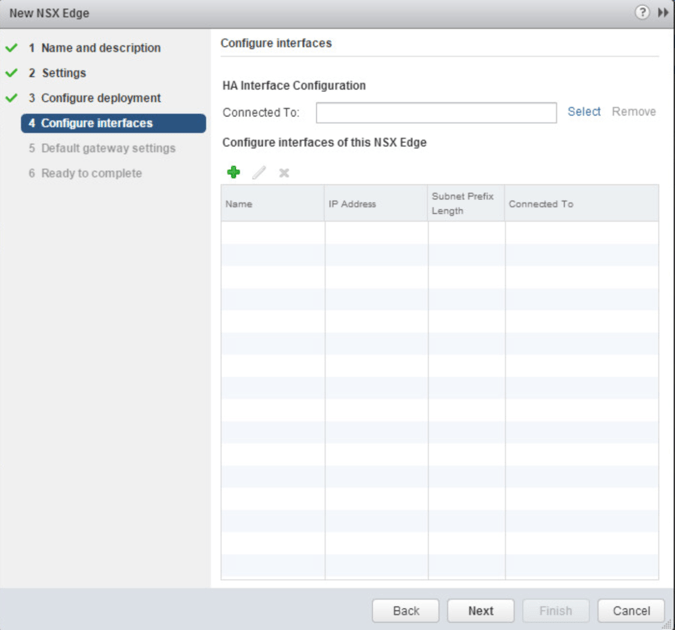
Select the Management port group
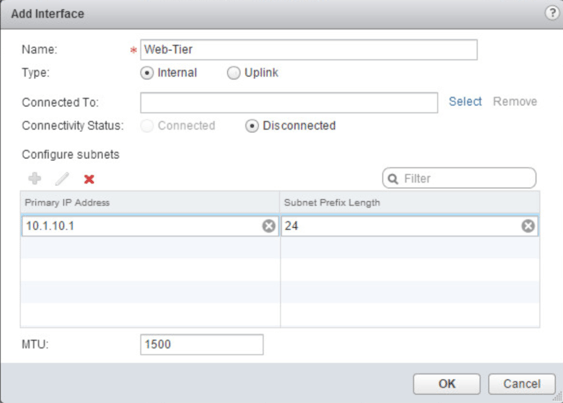
Click the green + to add a interface. We are going to configure a internal interface to connect to each of our logical switches. Give the interface a name and a IP address. Click Select next to Connected To:
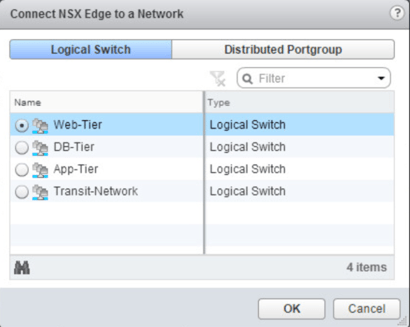
Select the logical switch. Click OK
Click OK
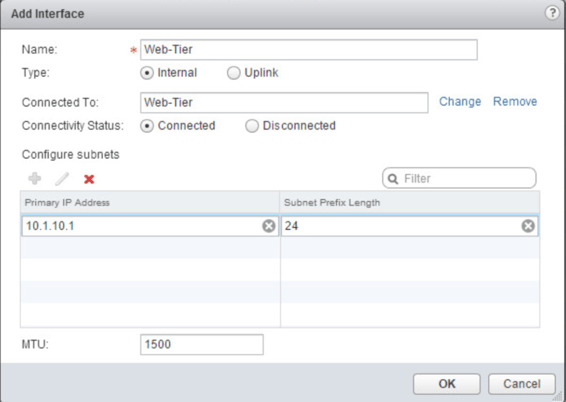
Add the other internal interfaces to connect to the other logical switches
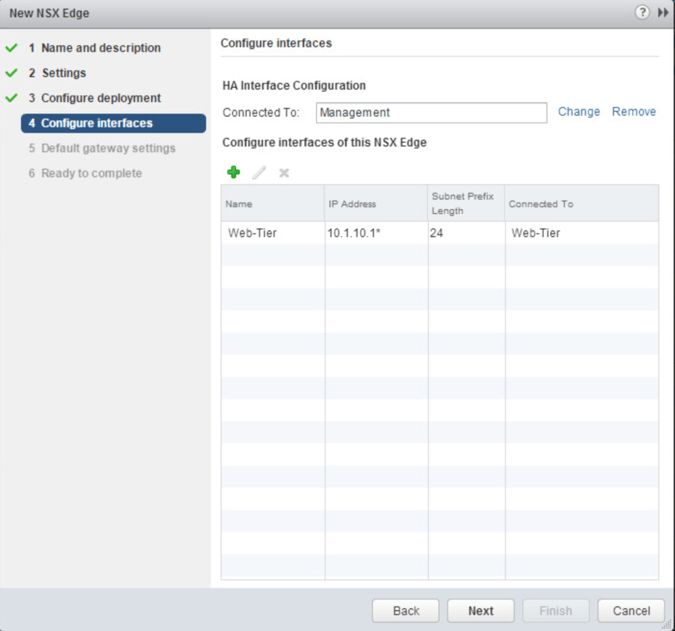
Now we need to create a uplink interface that will connect to our transit logical switch. We will use this later when we set up routing between the external physical network and the internal virtual network. Give the interface an IP address. Click Select next to Connected To:
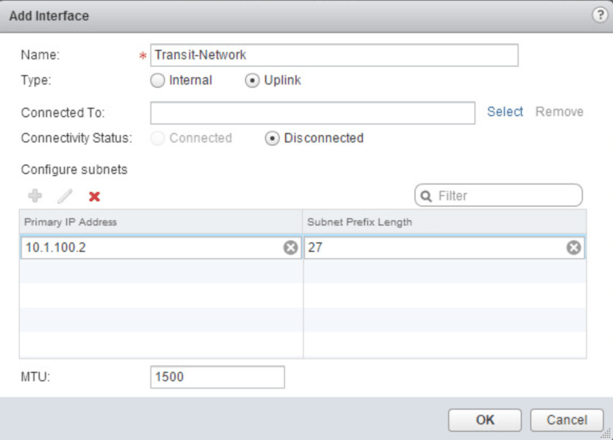
Select the Transit-Network logical switch
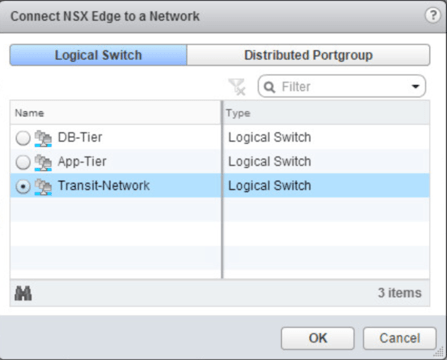
Click Next
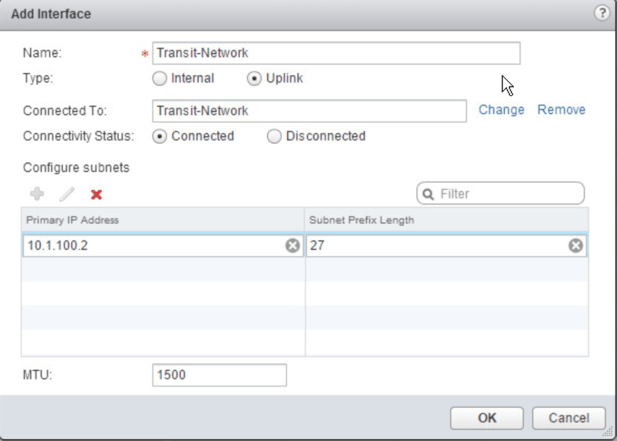
Click Next after all of the interfaces are created

Deselect Configure Default Gateway. Click Next

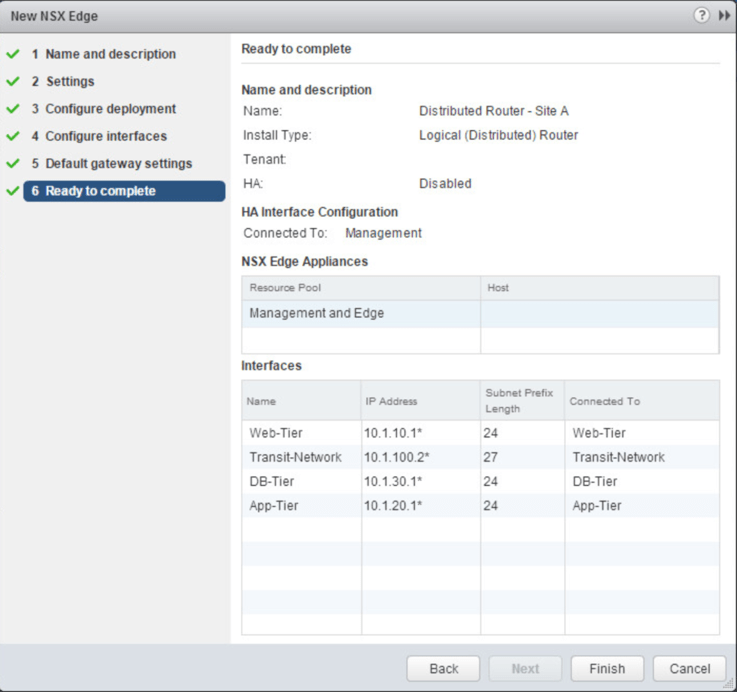
Check that everything is configured properly and then click Finish
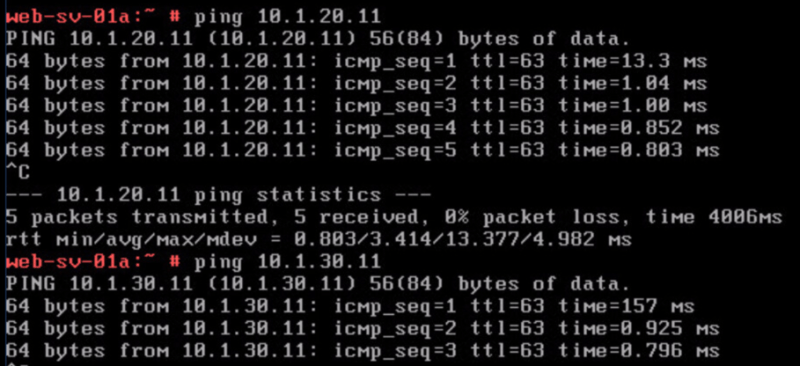
Now lets go to one of our web servers that resides on the 10.1.10.0 network and lets ping VMs from both the 10.1.20.0 and 10.1.30.0 networks. The pings should be successful as the distributed router is passing the traffic to the VMs on the other logical switches.
That’s it! In the next post we will be configuring routing between the virtual network and the physical network by means of the NSX Edge appliance. Stay tuned!
 Let's v4Real
One thought on “Deploy and Configure a Distributed Logical Router in VMware NSX”